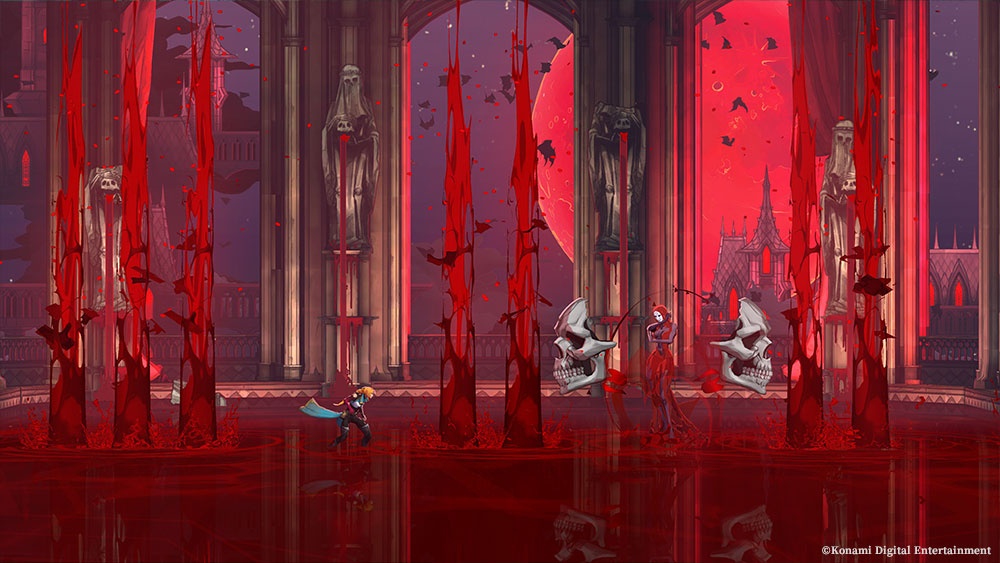
Konami confirms progress transfer to the full version of Castlevania: Belmont’s Curse, provided you stay on the same platform and account, keep the demo save, and update the full game. Official demo announcement.
Open the demo listing on Steam ↗If you’re trying the game before buying it, choose your platform first. It’s easy to treat a demo as disposable, but a save you want to continue deserves a little more care. Here’s what the publisher actually requires, plus the platform links to get started.
What has to match for the save to transfer?
| Requirement | What it means for you |
|---|---|
| Same platform | Start the demo where you intend to play the full game. |
| Same account | Use the same account for both versions. |
| Keep the demo save | Retain the save data you want to bring across. |
| Update the full game | Install its latest version before transferring. |
Requirements: Konami’s October 1 announcement. The right-hand column turns those requirements into practical planning choices.
Can you move a PC demo save to a console?
Konami’s conditions cover the same platform. For a PC-to-console switch, plan to start over rather than expecting the demo save to follow you.
Where can you get the demo?
The publisher lists PS5, Xbox Series X|S, Nintendo Switch and Steam for the demo. Steam’s product page has a dedicated demo download entry. On the console store, open the game listing and look for the demo option in your region.
| Platform | Open the listing | Before you start |
|---|---|---|
| PC · Steam | Steam game & demo ↗ | Use the Steam account you plan to keep. |
| PlayStation 5 | PlayStation Store ↗ | Check the listing for your account’s region. |
| Xbox Series X|S | Microsoft / Xbox Store ↗ | Check the platform named on the product. |
| Nintendo Switch | Nintendo listing · UK ↗ | This link is the UK store; use your own region to download. |
Store links were followed from Konami’s product page. A link to a full-game listing is not a purchase recommendation.
Switch or another platform: what is actually published?
Konami’s product page lists a 30 fps target for Nintendo Switch and 60 fps for the other listed versions. These are publisher specifications, not our performance measurements. Official product specifications.
A sensible use of the demo is to try the controls and readability on the device you’ll use. Pay attention to movement, small text and how comfortable the game feels to you. Those are things a specification table can’t decide for you.
For Switch 2, don’t treat the original Switch specification as a verified measurement on newer hardware. This guide makes no claim about a native Switch 2 edition or the full game’s measured performance there.
When does the full game release?
Konami advertises October 15, 2026. The Steam page retrieved during this check displayed October 14. That mismatch is worth flagging: use the storefront tied to your account for its local release information, rather than treating one date as a universal unlock time.
We haven’t verified a single release hour across all platforms and regions. If you’re setting a launch reminder, base it on the relevant store listing once it gives an explicit time.
Before you finish the demo
- Decide where you’ll buy the game. Match that choice to the demo you’re playing.
- Keep the account and save intact. Don’t clear the save as part of a tidy-up.
- Allow time for the full-game update. It is part of the publisher’s transfer conditions.
Sources & review
Checked October 12, 2026. This is a publisher-researched guide, not a hands-on review. Save conditions, supported demo platforms and specifications come from the linked official pages. Practical suggestions are ours. The hero is an official image (© Konami Digital Entertainment); the body image is an original AI-generated illustration.

